Top-Up Guide
This guide explains how to increase your CPM usage balance through the Top-Up feature.
1. Navigate to the Settings page
Open the user menu in the top-right corner of the CPM console and select Settings.
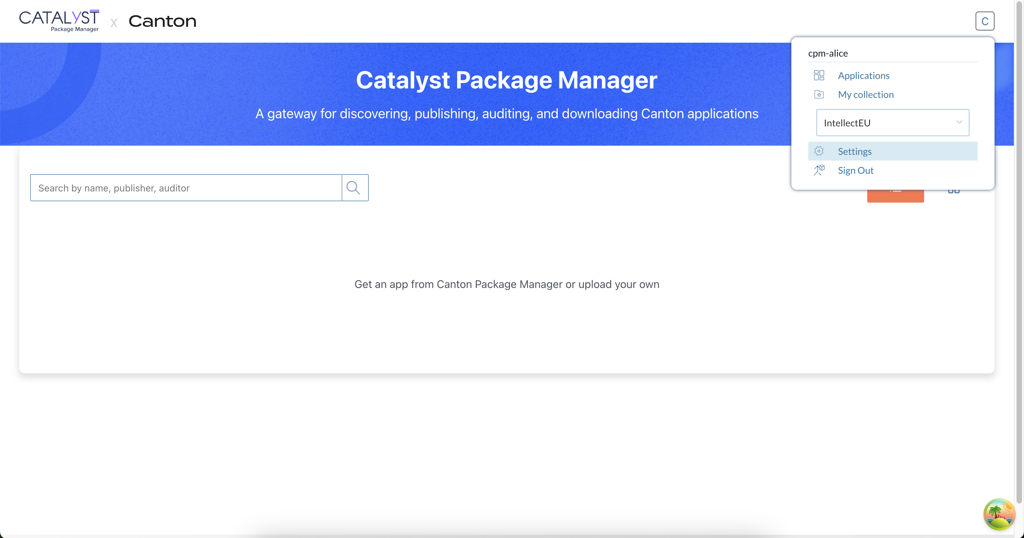
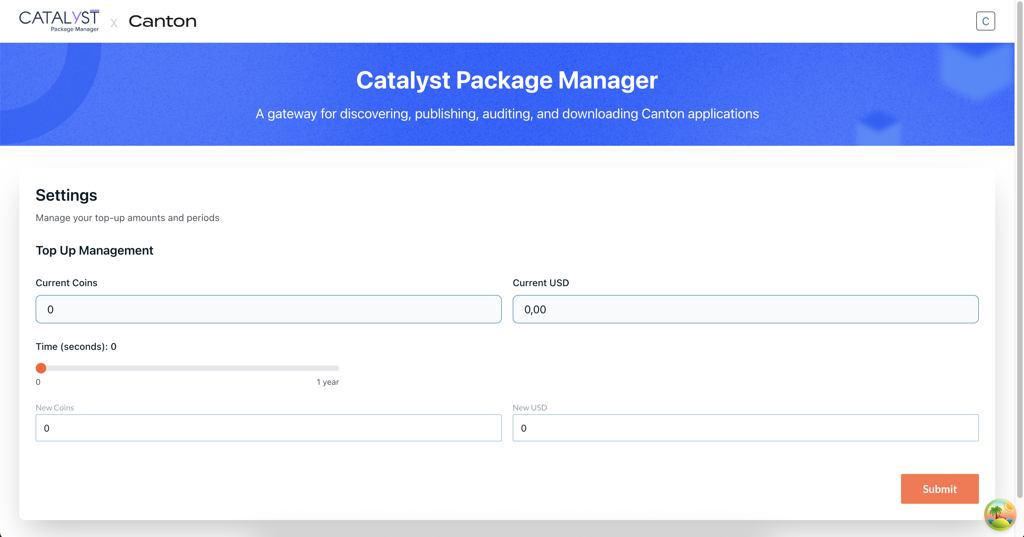
On the Settings page, an overview of your current balance is displayed:
-
Current Coins – The number of Canton coins currently available.
-
Current USD – Your current USD balance.
2. Select top-up amount
Below the balance overview, select the top-up amount.
You can choose one of the following options:
-
Allocate New Time (in seconds) - Use the slider to select the amount of additional time to allocate. You can allocate up to a maximum of one year.
-
Add New Coins or USD - If you prefer to top up funds directly, you can enter the desired amount in the fields:
-
New Coins
-
New USD
-
You may use the time slider, the currency fields, or a combination of both, depending on your needs.
3. Confirm top-up
After selecting the amount you want to add, click the Submit button. A confirmation window will appear, asking you to verify the details of your allocation.
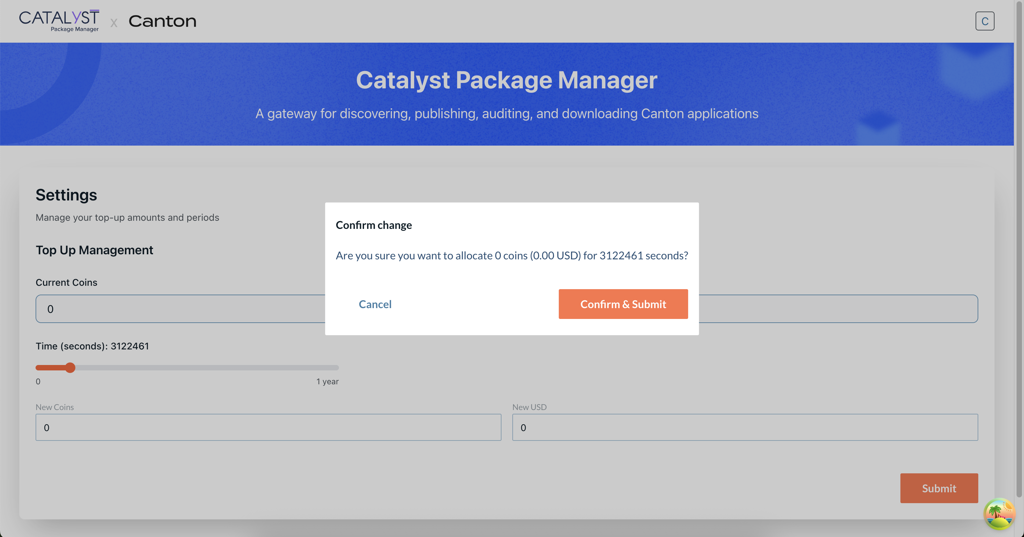
Once confirmed, your updated balance and time allocation will be applied and you will be returned to the Settings page.